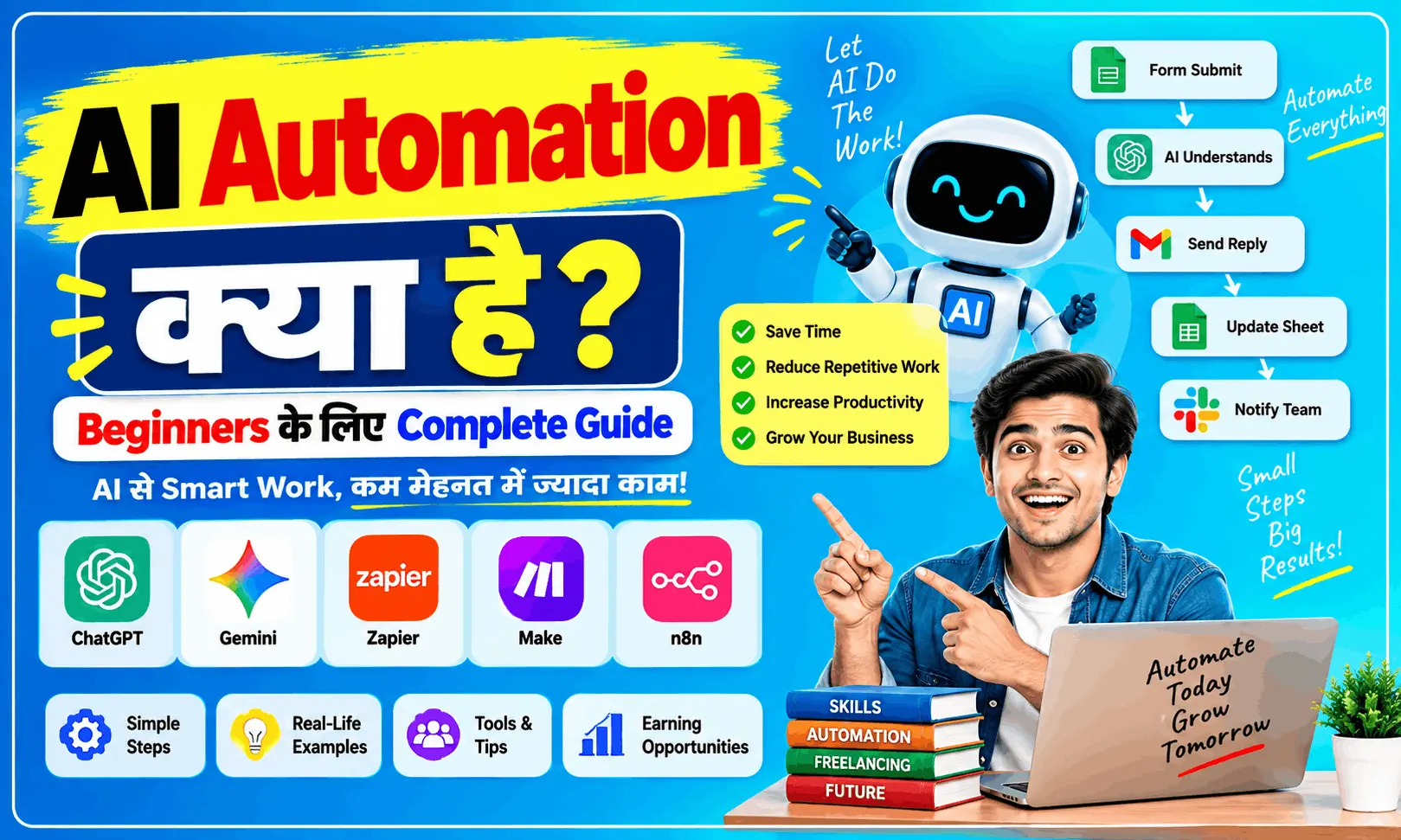
AI Automation kya hai aur ye kaise kaam karta hai? Simple Hinglish mein AI automation ke examples, benefits, tools aur career opportunities samjhein.
AI Automation Kya Hai?
Aajkal AI Automation ka naam bahut sunne ko mil raha hai. Lekin iska simple matlab kya hai?
Seedhi si language mein samjhein to AI Automation ka matlab hai AI aur automation tools ki help se kisi repetitive kaam ko automatically karwana, jisme har baar manually kaam karne ki zarurat na pade.
Jaise maan lijiye kisi business ko roz 50 customer messages milte hain. Har message ka basic reply manually dene ke bajay ek AI system customer ka question samajhkar suitable reply de sakta hai aur zarurat padne par complex query ko human tak bhej sakta hai.
Isi tarah lead follow-up, emails, data entry, reports, customer support, content workflow aur appointment scheduling jaise kaam automate kiye ja sakte hain.
AI Automation Ka Simple Example
Ek chhota sa example lete hain.
Maan lo aap ek coaching institute chalate hain.
Kisi student ne website par form fill kiya:
“Mujhe Digital Marketing course ki fees aur timing batayein.”
Normal process mein:
Form → Staff message dekhega → Reply karega → Student ko details bhejega
AI Automation mein:
Form → AI student ka question samjhega → Automatic reply → Lead CRM/Google Sheet mein save → Staff ko notification
Yaani ek hi workflow mein kai chhote-chhote manual kaam automatically ho sakte hain.
AI Automation Kaise Kaam Karta Hai?
AI Automation ko aap ek digital worker ki tarah samajh sakte hain.
Usually ek automation workflow mein ye steps hote hain:
| Step | Kya hota hai? |
|---|---|
| Trigger | Koi event hota hai, jaise form submit |
| AI Processing | AI information ko samajhta hai |
| Decision | System decide karta hai ki next kya karna hai |
| Action | Email, message, sheet update etc. hota hai |
| Human Check | Zarurat hone par kaam human ko diya jata hai |
Isliye AI Automation sirf “AI se answer lena” nahi hai. Iska main purpose AI ko kisi complete workflow ka part banana hai.
AI Automation Aur Normal Automation Mein Difference
Dono ko lekar beginners aksar confuse hote hain.
| Normal Automation | AI Automation |
|---|---|
| Fixed rules follow karta hai | AI information ko samajh sakta hai |
| Structured data ke liye useful | Text, emails, documents jaise data par bhi kaam kar sakta hai |
| “A hua to B karo” | Context ke according response/action |
| Limited decision-making | AI-based decision support |
Example:
Normal Automation:
Agar form submit hua → email bhejo.
AI Automation:
Form submit hua → AI query samjhe → lead ko category mein divide kare → personalised reply draft kare → CRM update kare.
AI automation ka advantage khaas taur par tab dikhta hai jab workflow mein language, documents ya unstructured information involved ho.
AI Automation Ke Real-Life Examples
AI Automation ka use sirf large companies tak limited nahi hai. Small businesses bhi repetitive workflows jaise lead handling, customer support, invoice reminders aur reporting ko automate kar sakte hain.
Kuch practical examples:
- 🤖 Customer questions ka initial reply
- 📩 Email ko read karke category banana
- 📊 Automatic reports prepare karna
- 📝 Meeting ka summary banana
- 📱 Social media content workflow
- 🎯 New leads ko automatically organize karna
- 💬 WhatsApp enquiry ka follow-up
- 🧾 Invoice/payment reminders
- 📅 Appointment scheduling
- 📄 Documents se important information extract karna
AI Automation Ke Liye Kaunse Tools Use Hote Hain?
AI Automation ke liye ek hi tool zaroori nahi hota. Alag-alag tools ko connect karke workflow banaya ja sakta hai.
| Tool/Technology | Basic Use |
|---|---|
| n8n | Workflow automation |
| Make | Apps ko connect karke automation |
| Zapier | No-code automation |
| ChatGPT | AI processing/content |
| Google Gemini | AI-based tasks |
| Google Sheets | Data storage |
| CRM | Leads & customer data manage karna |
Beginner ke liye pehle workflow ka logic samajhna zyada important hai; tools baad mein easily seekhe ja sakte hain.
AI Automation Seekhne Ke Liye Coding Zaroori Hai?
Starting ke liye coding mandatory nahi hai.
Aap no-code/low-code tools se basic AI automation workflows banana start kar sakte hain.
Lekin agar aap advanced level par jana chahte hain to ye skills kaafi useful ho sakti hain:
- Basic APIs
- Webhooks
- JSON
- Basic JavaScript/Python
- AI prompting
- Workflow design
- Data handling
- CRM integration
Matlab beginner without coding start kar sakta hai, lekin technical knowledge badhne ke saath aap complex automation projects bhi handle kar sakte hain.
AI Automation Se Career Kaise Bana Sakte Hain?
Agar aap High Income Skills seekh rahe hain, to AI Automation ek interesting skill area ho sakta hai.
Aap businesses ke repetitive workflows ko identify karke automation solutions bana sakte hain.
Example:
Client → Problem identify → Workflow design → AI + Automation tools connect → Testing → Delivery
Lekin sirf tool chalana enough nahi hai. Sabse important skill hai:
Business ki problem samajhna aur uska practical automated solution banana.
Current business guidance bhi AI ko sirf trend ke liye use karne ke bajay real bottlenecks aur measurable improvements par focus karne ki salah deti hai.
AI Automation Seekhna Kaise Start Karein?
Agar aap bilkul beginner hain to ye simple roadmap follow kar sakte hain:
Step 1: AI basics samjhein
↓
Step 2: ChatGPT/Gemini jaise AI tools use karna seekhein
↓
Step 3: Prompting seekhein
↓
Step 4: n8n, Make ya Zapier mein basic workflows banayein
↓
Step 5: APIs aur Webhooks ka basic samjhein
↓
Step 6: 3–5 practical projects banayein
↓
Step 7: Portfolio banakar freelancing/client work explore karein
Shuruaat mein bahut complicated automation banane ki zarurat nahi hai. Ek simple problem → ek simple workflow se start karna better approach hai.
AI Automation Ke Fayde
AI Automation ka sabse bada benefit ye hai ki repetitive kaam ka manual effort kam ho sakta hai.
Main benefits:
- ⏱️ Time bachane mein help
- 🔄 Repetitive work automate
- 📋 Manual data entry kam
- ⚡ Faster response
- 📊 Workflow organized hota hai
- 👨💻 Team ko important tasks par focus karne ka time milta hai
- 📈 Business processes ko scale karna easier ho sakta hai
Lekin har task ko automate karna zaroori nahi hai. Sensitive decisions, payments aur unusual cases mein human review important reh sakta hai.
Conclusion
AI Automation kya hai? Iska simple answer hai: AI aur automation ko combine karke repetitive aur time-consuming workflows ko automatically handle karna.
Aaj AI Automation ka use customer support se lekar lead management, reporting aur content workflows tak kai areas mein ho raha hai.
Agar aap future-oriented digital skill seekhna chahte hain, to AI Automation ko step-by-step explore kar sakte hain. Bas tools ke peeche bhaagne ke bajay pehle ye samjhein ki kaunsi real problem solve karni hai.
AI Automation – Top 10 Google Search FAQ
1. AI Automation kya hai?
AI Automation ka matlab AI technology aur automation workflows ki madad se repetitive tasks ko automatically perform karwana hai.
2. AI Automation kaise kaam karta hai?
AI Automation mein trigger ke baad AI data ko process karta hai aur predefined workflow ke according required action perform hota hai.
3. AI Automation ke best tools kaunse hain?
Beginners commonly n8n, Make aur Zapier jaise workflow automation tools ke saath ChatGPT ya Gemini jaise AI tools explore kar sakte hain.
4. AI Automation seekhne ke liye coding zaroori hai?
Basic AI automation start karne ke liye coding mandatory nahi hai. No-code aur low-code tools se beginner workflows bana sakta hai.
5. AI Automation se paise kaise kamaye?
AI automation seekhkar businesses ke repetitive workflows ke solutions develop karke freelancing, consulting ya automation services provide karne ke options explore kiye ja sakte hain.
6. AI Automation aur AI mein kya difference hai?
AI information ko understand/generate/analyse kar sakta hai, jabki AI Automation AI ko ek workflow mein connect karke tasks ko automatically execute karne par focus karta hai.
7. AI Automation ka use kaha hota hai?
AI Automation ka use customer support, lead management, email, reporting, document processing, marketing aur business operations mein ho sakta hai.
8. AI Automation kya beginners ke liye hai?
Haan, beginners basic no-code workflows se start kar sakte hain aur gradually APIs, webhooks aur programming jaise advanced concepts seekh sakte hain.
9. AI Automation se business mein kya fayda hai?
Isse repetitive manual work kam karne, response time improve karne aur workflows ko more organized banane mein help mil sakti hai.
10. AI Automation ka future kya hai?
AI Automation ka use businesses mein badhne ki direction mein hai, lekin iska practical value is baat par depend karta hai ki automation kisi real business problem ko kitna effectively solve karta hai.